Introduction: The Technical Hurdles of eVisa Uploads
Reaching the document upload stage of your digital travel authorization application should feel like a moment of progress, but for many international travelers, it quickly becomes a source of immense frustration. After spending an hour carefully typing your personal details, travel itinerary, and passport information, you finally reach the step where you must upload your supporting documents.
You select your carefully scanned passport bio page, click submit, and are immediately met with a cryptic failure message. Encountering an India eVisa pdf upload error is one of the most common and stressful technical hurdles applicants face when navigating the digital immigration framework.
The portal often provides vague error codes that simply state the file is invalid, leaving you entirely in the dark about what needs to be fixed. This friction usually occurs because there is a massive disconnect between the high-resolution, large-file-size images produced by modern smartphone cameras and the rigid, legacy verification systems used by the official portal.
Travelers from the United States frequently capture beautiful, crystal-clear images of their passports, only to find that these files are vastly oversized for the portal's strict database limitations. When the automated system cannot process the file type, size, or resolution, it instantly rejects the upload without offering actionable feedback.
Understanding the underlying technical reasons behind these rejections is the first critical step toward resolving them efficiently. Rather than repeatedly trying to upload the same failing file and risking a system lockout, you must understand the precise digital specifications the automated Optical Character Recognition software demands.
By mastering the technical requirements of the upload gateway, you can bypass these digital roadblocks, secure your travel documentation, and ensure your journey proceeds without unnecessary administrative delays.
Strict File Size and Formatting Rules for Passport PDFs
To successfully navigate the upload gateway, you must adhere to a highly specific set of digital formatting rules established by the immigration authorities. The most critical rule to understand is that the portal strictly requires your passport bio page to be uploaded in PDF format.
It will not accept JPEG, PNG, HEIC, or any other standard image format for this specific document. If you attempt to upload a standard photograph taken directly from your smartphone's camera roll, the system will immediately flag it as an invalid file format and reject it.
Furthermore, the portal enforces an incredibly narrow file size window: your final PDF document must be strictly between 10 kilobytes and 300 kilobytes. This 10 KB to 300 KB limitation is notoriously difficult to hit. A standard, high-quality scan of a passport page typically ranges from 2 megabytes to 5 megabytes, meaning you must compress the file by over ninety percent to meet the portal's requirements.
However, you cannot simply compress the file until it is unreadable. The immigration database relies on automated Optical Character Recognition software to read the Machine Readable Zone, which is the two lines of code at the very bottom of your passport bio page.
If your compression is too aggressive and blurs these characters, the system will fail to verify your identity, resulting in a silent rejection or a request for correction. Travelers from the United Kingdom must also ensure that their PDF is completely unlocked.
The portal cannot process password-protected, encrypted, or digitally signed PDF files. The document must be a standard, flat, unsecured PDF that allows the automated system to freely scan and extract the biographical data.
Recognizing these rigid parameters allows you to prepare your documents correctly before you ever attempt to interact with the upload portal.
How to Compress and Convert Passport Scans Correctly
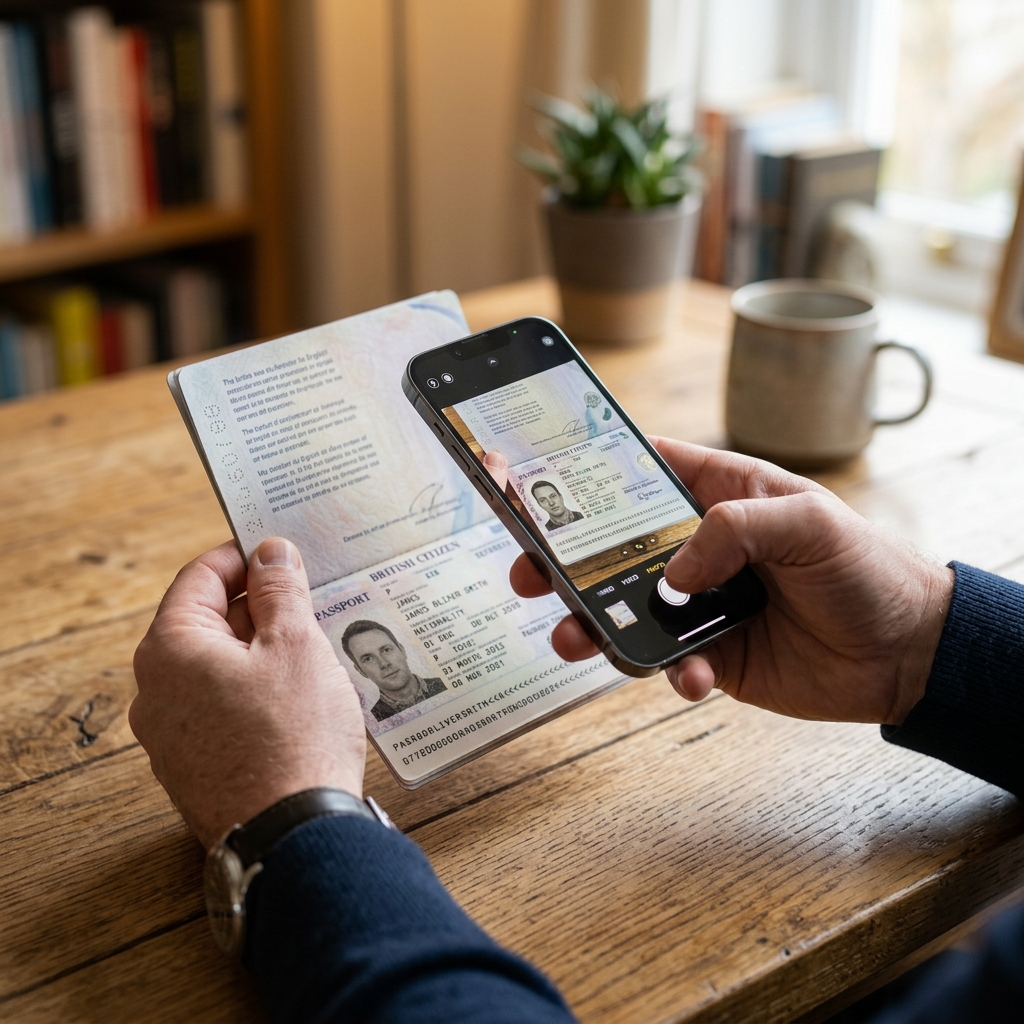
Achieving the perfect balance between a small file size and high text clarity requires a methodical approach to document preparation. The first step is to capture the highest quality original image possible. Place your passport on a flat, well-lit surface, ensuring there is absolutely no camera flash glare obscuring the text or the machine-readable zone at the bottom.
Position your camera directly parallel to the page to prevent perspective distortion. Once you have a crisp, clear image, you must convert it from a standard image format into a PDF. You can use your smartphone's built-in document scanning features, which often automatically save files as PDFs, or utilize a reputable, secure online conversion tool to change your JPEG into a PDF document.
Once the file is in the correct format, you must address the file size. If your newly created PDF is larger than 300 kilobytes, you will need to use a PDF compression tool. When compressing the file, always select a "medium" or "print" compression level rather than "maximum" or "web" compression.
Maximum compression aggressively reduces the resolution of the image, which will inevitably blur the critical machine-readable zone at the bottom of the page. After compressing the file, you must verify the final size. If it is 305 kilobytes, it will still be rejected; it must be 300 kilobytes or less.
Conversely, if your compression reduces the file below 10 kilobytes, it will also be rejected for being too small to contain legible data. For a comprehensive, step-by-step breakdown of how to prepare your physical documents before scanning, we highly recommend reviewing our detailed guide on India eVisa passport requirements.
Travelers from Australia should always open the final compressed PDF on a computer screen to visually verify that all text, especially the bottom code lines, remains sharp and perfectly legible before attempting the upload.
Common Portal Server Errors and CAPTCHA Glitches
Even when your document is perfectly formatted, sized, and converted, you may still encounter technical failures caused by the portal's server infrastructure and security protocols. One of the most frustrating issues applicants face is the CAPTCHA validation loop.
The portal uses CAPTCHA tests to ensure that the application is being submitted by a human rather than an automated bot. However, these security widgets frequently fail to load properly, or they will continuously refresh and reject your input due to browser cache conflicts or ad-blocking extensions.
If you find yourself stuck in a CAPTCHA loop while trying to upload your passport, the most effective solution is to clear your browser's cache and cookies, or switch to a completely different web browser. Furthermore, the portal is highly susceptible to session timeouts.
The digital application system is designed to automatically log you out after a set period of inactivity to protect your data. If you spend twenty minutes trying to compress your PDF file in another tab, your main application session may silently expire in the background.
When you finally return and click the upload button, the server will reject the action because your security token has expired, often resulting in a generic error message or a frozen screen. To avoid these server-side glitches, it is highly recommended to prepare and compress all your documents before you even begin filling out the digital form.
Travelers from Canada should also avoid using mobile browsers for the final upload stages. Mobile browsers often struggle to handle the portal's complex scripting and secure file transfer protocols, leading to silent upload failures.
Using a modern, updated desktop browser like Chrome or Firefox provides a much more stable and reliable environment for interacting with the immigration database, significantly reducing the likelihood of encountering these maddening server errors.
How Get India E-Visa Simplifies the Upload Process
Navigating the strict file size limitations, format conversions, and server timeouts can be an incredibly time-consuming and stressful experience, which is why many international travelers choose to utilize professional guidance. Get India E-Visa is an independent assistance service.
We are not affiliated with the Government of India, and we do not issue travel permits or guarantee approvals. All final decisions rest solely with the immigration authorities, and all applications are strictly subject to approval by Indian authorities.
Our primary role is to help international travelers prepare accurate, compliant, and perfectly formatted digital applications before they are submitted to the official portal, completely bypassing the technical friction of the upload gateway. When you utilize our platform, you will notice a strict separation between the mandatory government fees and our independent service fees.
The government fees are established and collected directly by the authorities to cover administrative processing and security checks, while our service fee covers comprehensive, human-led technical support. Instead of forcing you to struggle with PDF compression tools and CAPTCHA loops, our secure platform allows you to simply upload a standard, high-resolution photograph of your passport bio page in any format.
Our expert team then takes over the technical heavy lifting. We manually verify the clarity of your machine-readable zone, convert the image into the exact PDF format required, compress it to fall perfectly within the 10 KB to 300 KB window, and securely submit it to the official portal on your behalf.
Travelers from Germany appreciate our strict privacy-first approach, where sensitive documents are handled through encrypted channels and never stored longer than necessary. By leveraging our technical expertise, you completely eliminate the risk of upload errors, protect your non-refundable government fee investment, and ensure your application moves smoothly into the review queue without any digital roadblocks.
Frequently Asked Questions
Why does the official India visa site say 'Invalid File Format' when I upload my passport PDF?
What happens if my compressed passport PDF is 305 KB?
Can I just upload a photo of my passport instead of a PDF scan?
Why does the upload button do nothing when I click it?
Does Get India E-Visa guarantee my application will be approved if I use your service?
Are government fees and independent service fees the same thing?
Important Disclaimer: Get India E-Visa is an independent assistance service and is not affiliated with the Government of India. We do not issue visas or guarantee approvals. All visa decisions are made solely by Indian immigration authorities. Government fees are set by Indian authorities and are separate from our service fee.